How to change a Windows 7 password from the console (cmd)
You can change a Windows 7 account password through the graphical interface — just go to: Start – Control Panel – User Accounts – User Accounts – Change your password
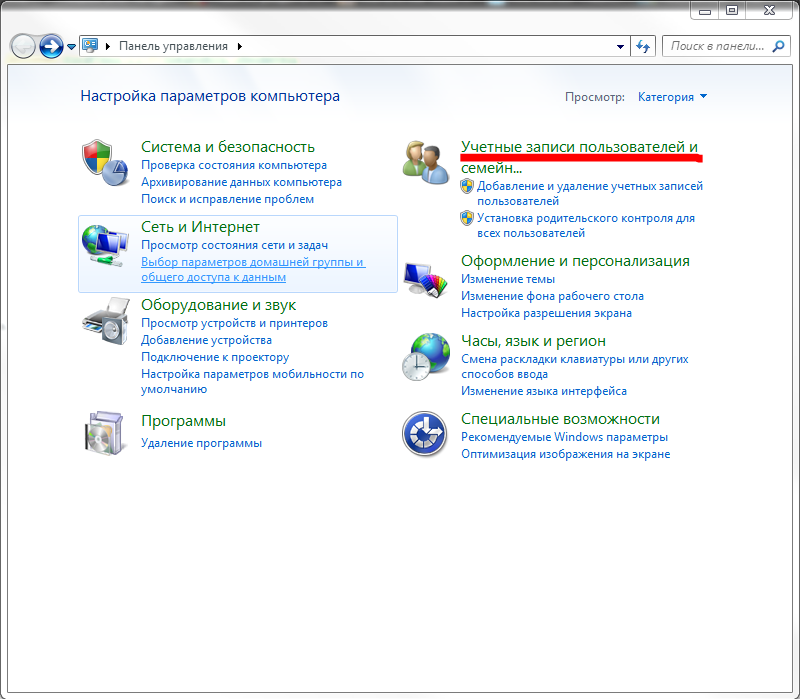
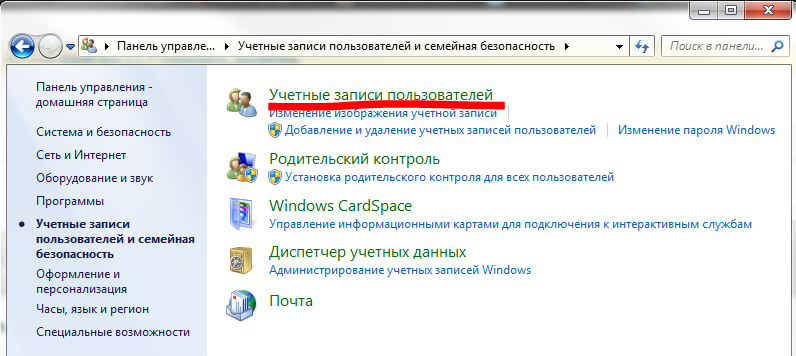
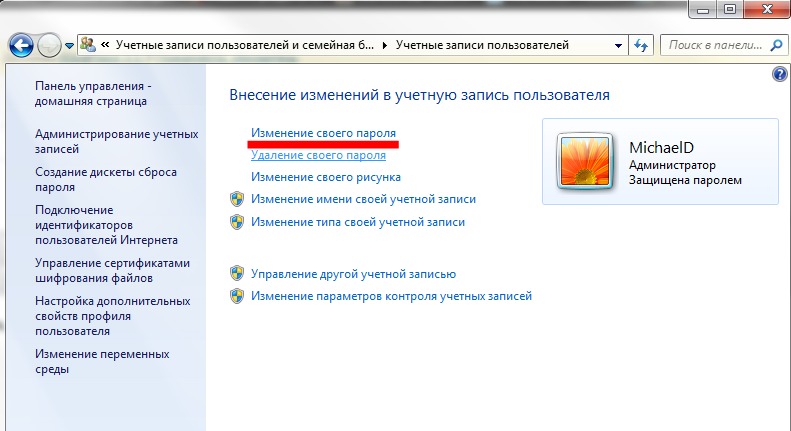
Or you can do the whole thing with a few commands at the command line. To do that, open the command prompt:
Start – type “cmd” into the search box or Start – All Programs – Accessories – Command Prompt
In the black console window that opens, type these commands:
1) [net user] — lists all the user accounts on this computer;
2) [net user USER_NAME *] — pick the user whose password you want to change. USER_NAME here is the user name from the list in the previous step;
3) Then type the new password and type it again to confirm;
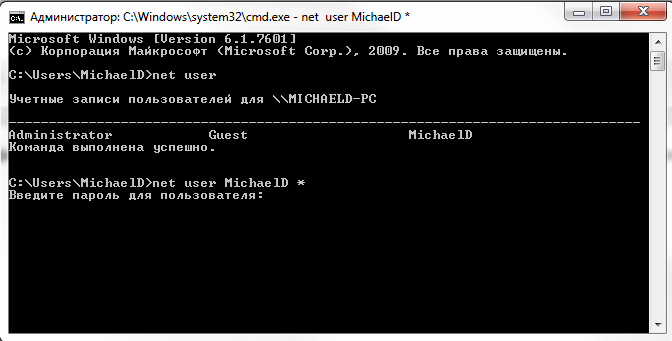
And that is it — two commands and the account password is changed, no hassle at all. In my view that is far handier than the graphical “journey” through windows hunting for the right shortcut.
I hope you found this useful.
Good luck!
